info@brineweb.com
 +91 73599 99453


























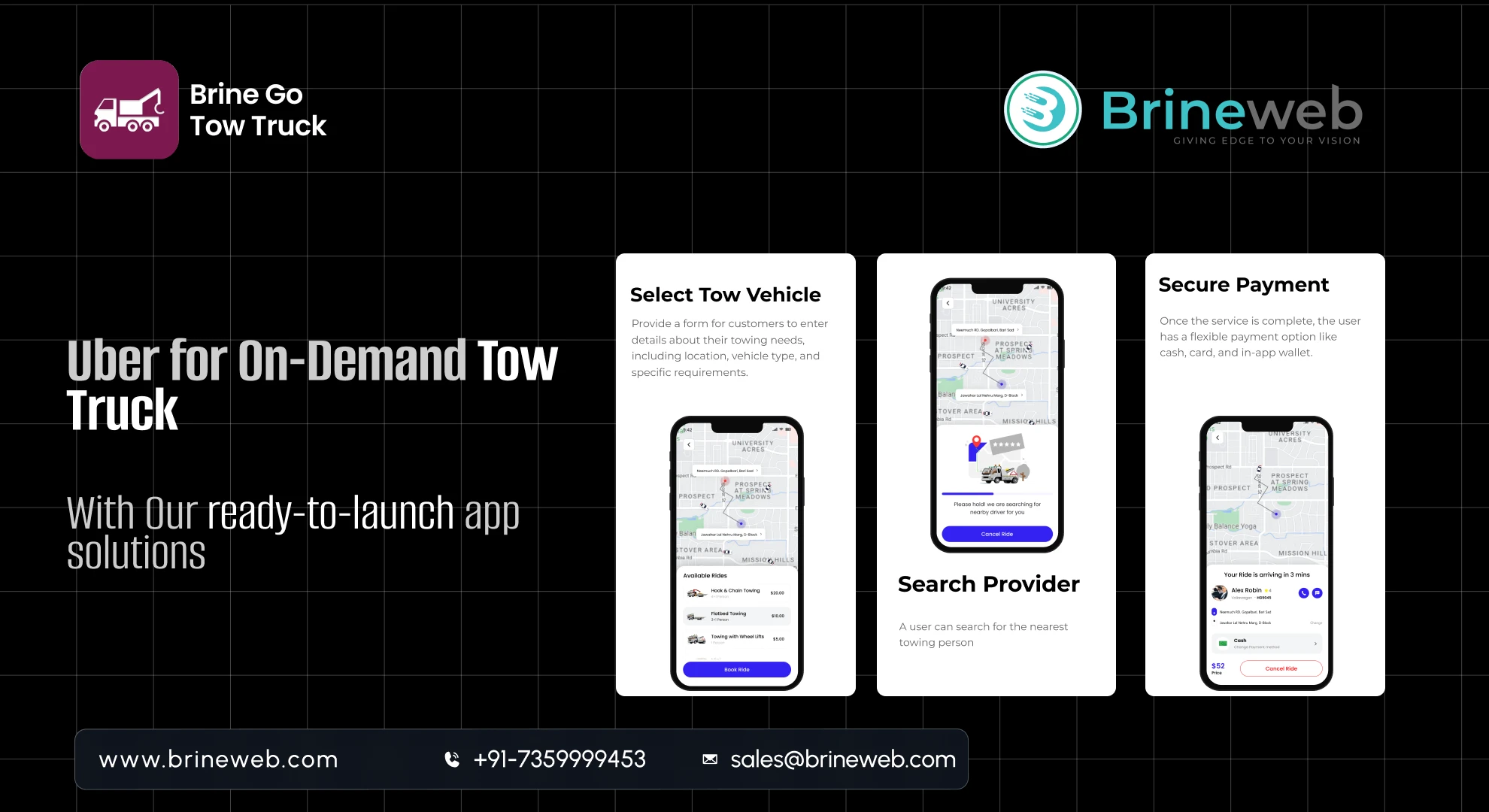
If a driver’s car breaks down today, they don’t open Google and start calling numbers. They don’t wait for a friend to find a local towing service. They open an app. They want the same on-demand experience they get from Uber, UberEats, or Amazon. Fast. Transparent. Trackable.
And this shift in customer behavior is exactly why Uber for Tow Trucks is becoming one of the fastest-growing on-demand service models in the world.
Whether you’re a roadside assistance startup, a towing business, or an entrepreneur exploring a high-demand niche building a mobile app for towing services can unlock massive growth opportunities in 2026.
This guide will walk you through everything you need to build a powerful roadside assistance app:
- Must-have features
- Real-time tracking logic
- Business models
- Revenue streams
- Development process
- Technology stack
- Cost breakdown
- Mistakes to avoid
- Industry insights that give you an edge
Let’s dive in.
1. Why Roadside Assistance Apps Are Booming?
Before we jump into app features and tech, you need to understand the why behind this growing market.
1. Vehicle ownership is at an all-time high
More cars = more breakdowns
More breakdowns = more demand for reliable assistance
2. Drivers expect faster, trackable service
If they can track a food delivery rider in real-time, they expect the same visibility from towing services. Traditional towing companies rarely provide this.
3. Roadside emergencies need instant help
Waiting 45 minutes for “someone who is on the way” is outdated. Users want:
- Accurate ETAs
- Clear pricing
- Nearby driver detection
- Transparent updates
4. Towing businesses want automation
Manual dispatching is slow and chaotic.
With an app:
- Job assignments are automatic
- Drivers get digital navigation
- Admin sees everything in real-time
5. Insurance companies prefer digital roadside partners
Insurers now partner with towing apps because:
- Digital is faster
- Data is logged
- Fewer customer complaints
6. Huge opportunity for local operators
Small operators can compete with large companies through a single app.
In short: 2026 is the perfect time to build a roadside assistance platform.
2. What Is a Roadside Assistance App Like Uber For Tow Truck?
Think of it as a marketplace:
User → App → Nearest Tow Truck Driver → Admin Dashboard
The app handles:
- Finding the closest available driver
- Calculating distance + pricing
- Assigning job
- Tracking the driver
- Payment
- Support
- Documentation
Just like Uber helps you book a ride, an on-demand tow truck app helps you book:
- Towing services
- Tire changes
- Fuel delivery
- Battery jumpstart
- Lockout assistance
- Minor mechanical help
And all of this happens within minutes.
3. How a Tow Truck App Works (Simple Breakdown)
Step 1: User requests help
They choose the service: towing, tire change, jumpstart, or fuel delivery.
Step 2: App detects their live location
GPS automatically pins their coordinates.
Step 3: Algorithm finds the nearest available driver
Just like Uber’s driver matching.
Step 4: Driver accepts the job
They receive the exact location, service type, and instructions.
Step 5: User tracks the driver in real-time
ETA, map tracking, and contact options.
Step 6: Service completed + payment processed
The user pays through the app.
Step 7: Invoice generated + rating submitted
Smooth, structured, and transparent.
4. Why Your Tow Truck Business Needs an App
Faster response times
Real-time dispatching drastically reduces delays.
Higher customer trust
Tracking makes users feel safe & informed.
More revenue channels
Subscriptions, corporate contracts, surge pricing, etc.
Better driver efficiency
Built-in navigation = less confusion, faster jobs.
Automated operations
Admin can view everything in one dashboard.
Competitive advantage
Most towing businesses still operate manually.
Scalable model
Start in one city → expand like Uber.
5. Must-Have Features for a Tow Truck App
This is the section that matters most if you want to build a successful platform.
A. Customer App Features
1. Quick service request flow
Fast and panic-friendly UI.
2. Live GPS-based location detection
Since users often don’t know where they are.
3. Real-time driver tracking
Non-negotiable for any on-demand service.
4. Accurate ETA
Based on traffic, distance, and route.
5. Transparent pricing
Flat rate + per-mile fees.
6. Multiple payment options
Cash, card, wallet, net banking.
7. In-app chat/call
Direct communication for quick guidance.
8. SOS emergency mode
High-priority dispatch.
9. Service history
Invoices, previous jobs, receipts.
B. Driver App Features
1. Accept/Reject requests
Drivers choose jobs based on availability.
2. Navigation support
Google Maps or built-in navigation.
3. Earnings dashboard
Daily, weekly, monthly reports.
4. Availability toggle
Online → available
Offline → not visible
5. Job details screen
Customer info, notes, vehicle details.
6. Route optimization
Find the shortest path.
7. Push notifications
New jobs, payments, schedule reminders.
C. Admin Panel Features
1. Central dashboard
Real-time overview of:
- Active jobs
- Driver locations
- Pending jobs
- Completed jobs
2. Driver management
Verification, onboarding, suspension, performance tracking.
3. Pricing management
Set base rates, distance rates, surge pricing.
4. Revenue analytics
Daily revenue, commissions, city-wise performance.
5. Customer support tools
Live chat, ticketing, refunds.
6. Heatmaps
Shows high demand areas.
6. Advanced Features to Beat Competitors
If you want your app to stand out, add these advanced features:
AI-Powered Route Optimization
Faster driver arrival → better customer experience.
Dynamic Pricing Engine
Based on:
- Time of day
- Distance
- Traffic
- Demand
Subscription Plans
Monthly/yearly roadside assistance.
Insurance Partnership Module
Insurance companies can assign roadside cases instantly.
Fleet Management
For big towing companies.
OBD Car Diagnostics Integration
Optional – premium feature for large businesses.
Driver Rating Algorithm
Reward faster response times.
Photo-based Vehicle Damage Reports
For insurance documentation.
7. Business Models of a Tow Truck App
Your app can follow multiple monetization models:
1. Commission Per Job
Like Uber:
You earn 10–30% from each job.
2. Subscription Model
Users pay monthly/yearly for priority service.
3. Surge Pricing
During peak hours or remote areas.
4. Corporate Contracts
Partner with:
- Car rental agencies
- Garages
- Insurance companies
- Logistics fleets
5. Driver Onboarding Fees
Charge for registration or training.
6. In-App Ads (Optional)
Auto accessory shops, insurance companies, service centers.
8. Step-by-Step Development Process
This is how a modern, scalable tow truck app is built.
Step 1: Market Research + Business Planning
Define target users:
- Individual drivers
- Logistics fleets
- Taxi operators
- Insurance partners
Step 2: Feature Mapping
Decide your MVP:
- Basic version
- Advanced version
Step 3: UI/UX Design
Design simple & emergency-friendly flows.
Step 4: Backend Development
This includes:
- Dispatch system
- Driver allocation logic
- Pricing engine
- Admin panel
Step 5: Mobile App Development
iOS + Android using Flutter or React Native.
Step 6: API Integrations
- Google Maps
- Payment gateways
- SMS/OTP
- Notifications
Step 7: Testing
Critical tests:
- GPS accuracy
- High-load testing
- Emergency flow
Step 8: Deployment
App Store, Play Store, servers.
Step 9: Post-Launch Scaling
Add new features, improve dispatching, expand cities.
9. Tech Stack for a Tow Truck App
Frontend (Mobile App):
- Flutter
- React Native
Backend:
- Node.js
- Laravel
Real-Time Updates:
- Firebase
- Socket.IO
Database:
- MongoDB
- MySQL
Maps & Navigation:
- Google Maps API
Payments:
- Stripe
- Paypal
Notifications:
- Firebase Cloud Messaging
A modern, scalable tech stack ensures smooth performance.
10. How Much Does It Cost to Build a Tow Truck App?
Based on industry standards, development structure, and the features above:
The cost depends on complexity, design, and developer location. A basic MVP (Minimum Viable Product) can cost $25,000–$75,000, covering design, app development, backend API, and testing.
A white-label clone app costs around $10,000–$25,000, ideal for startups wanting a quick launch. Custom builds, however, offer better scalability, performance, and long-term brand value.
11. Common Mistakes to Avoid
1. Weak GPS accuracy
Your entire business depends on location accuracy.
2. No emergency mode
Must have an SOS priority dispatch.
3. Complicated driver onboarding
Drivers won’t adopt the platform.
4. Poor pricing strategy
Too expensive → no orders
Too cheap → no profit
5. No fleet management
Enterprise clients expect this.
6. Not optimizing for low network areas
Breakdowns happen in remote locations..
12. Final Thoughts
Roadside emergencies are unpredictable but your app doesn’t have to be.
A roadside assistance app like Uber for Tow Truck can help you:
- Automate operations
- Win customer trust
- Scale your business to multiple cities
- Earn recurring revenue
- Partner with insurers and logistics firms
Demand is rising. Competition is low. Customer expectations are shifting.
If you want to build a high-performance towing app, the blueprint is ready and the market is waiting.